| Year | Function or place | What's new | ||||
|---|---|---|---|---|---|---|
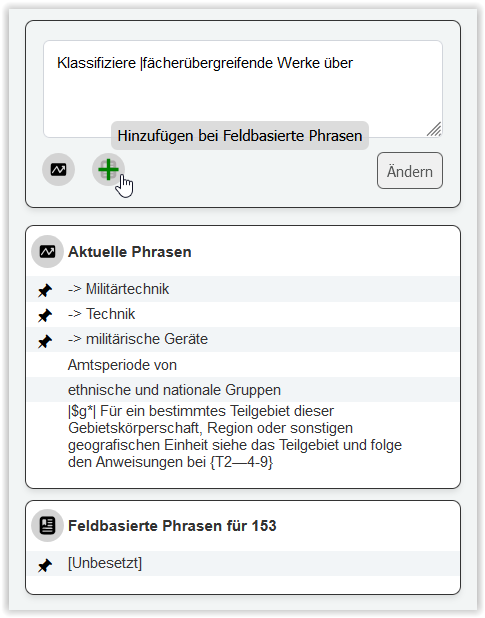
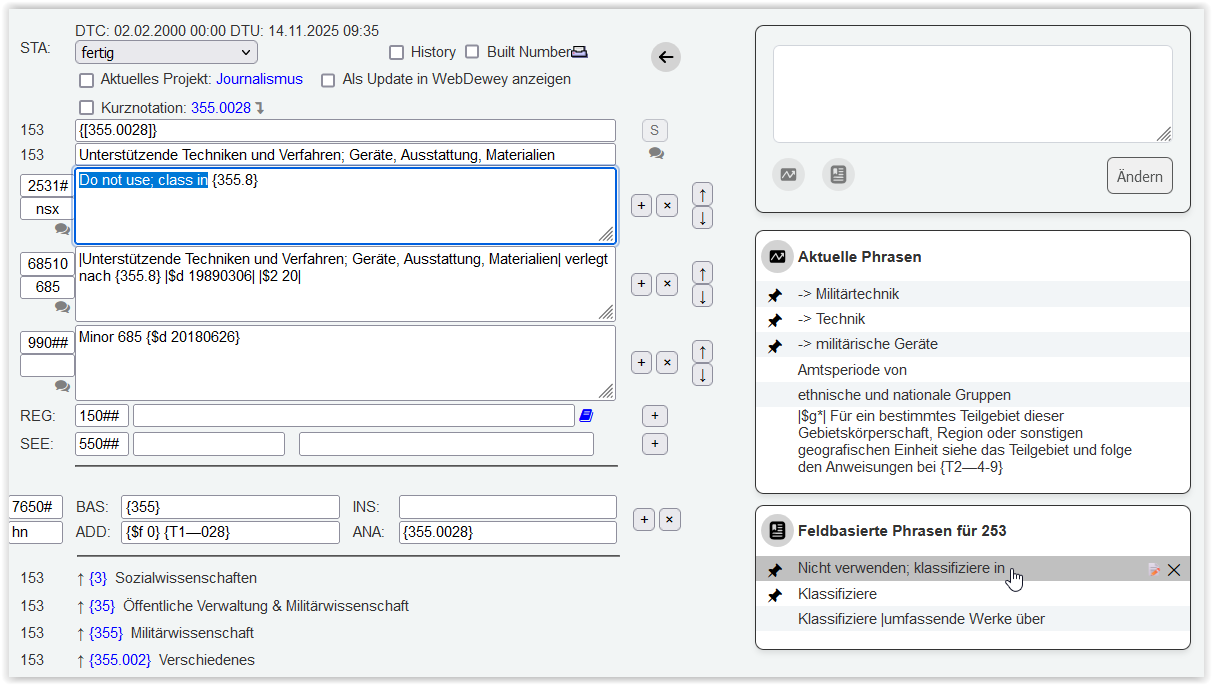
| 2025 | Phrases tool | New feature to assist with the translation of recurring terms, i.e., notes, topics, or other text elements. Quickly add any type of text to the lists from the input field above. There are two lists that can be filled: Icons for current phrases and field-based phrases:
You can change and replace the texts, and you can pin the terms that are most important for your workflow. How to pin:Current Phases: Clicking on the pin icon moves the term to the top position. Newly inserted terms are pinned directly to the top position. Deactivating and activating the pin also moves the term to the top position. Field-based phrases: Clicking on the pin icon moves the term to the top of the list. Newly added terms are sorted alphabetically. Deactivating and activating the pin moves the term to the top of the list. Please note: The use of the phrase tools is not tied to the user. This means that adding, pinning, and changing items in the lists always affects the list, regardless of who is working in the translation software. This behavior primarily affects current phrases: another user may be working in a different subject field and may therefore use different current phrases. Here, coordination within your team may be helpful.
| ||||
| 2024 | New color concept in search results and lists (projects window, other windows) |
For example:
| ||||
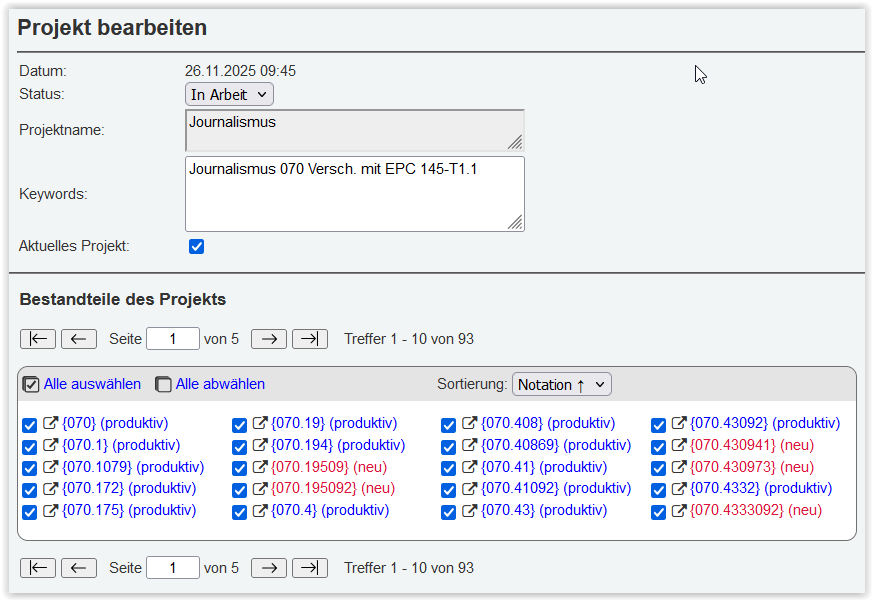
| 2024 | Projects window |
| ||||
| 2024 | Statistics page |
| ||||